


 WeGlide
WeGlide, built into Navia.
Live lift from the gliders flying right now, WeGlide segments to race against the best flight, and your flight on WeGlide when you land — on the screen you already fly with.
Coming with an upcoming Navia OS update.
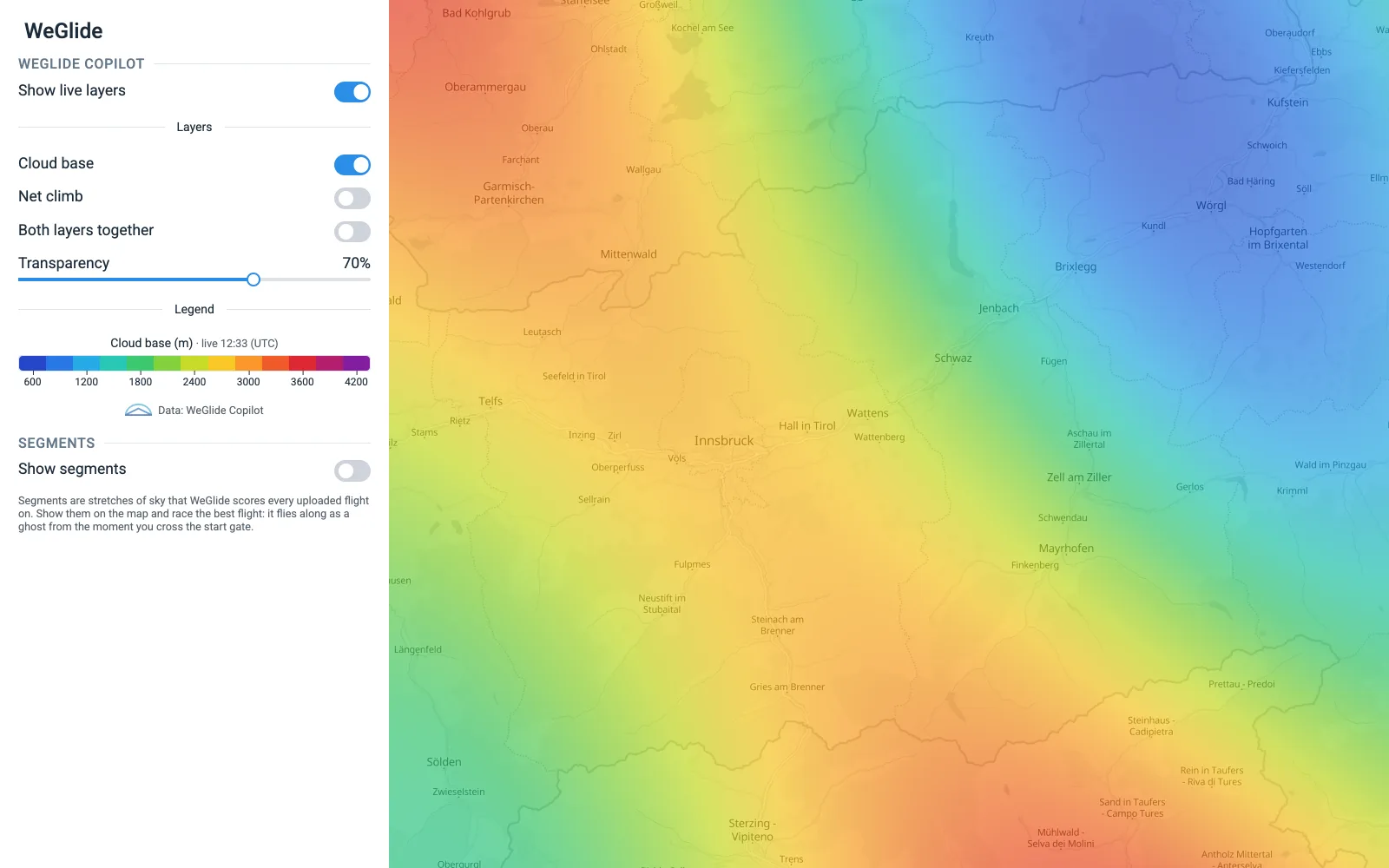
See the lift before you get there.
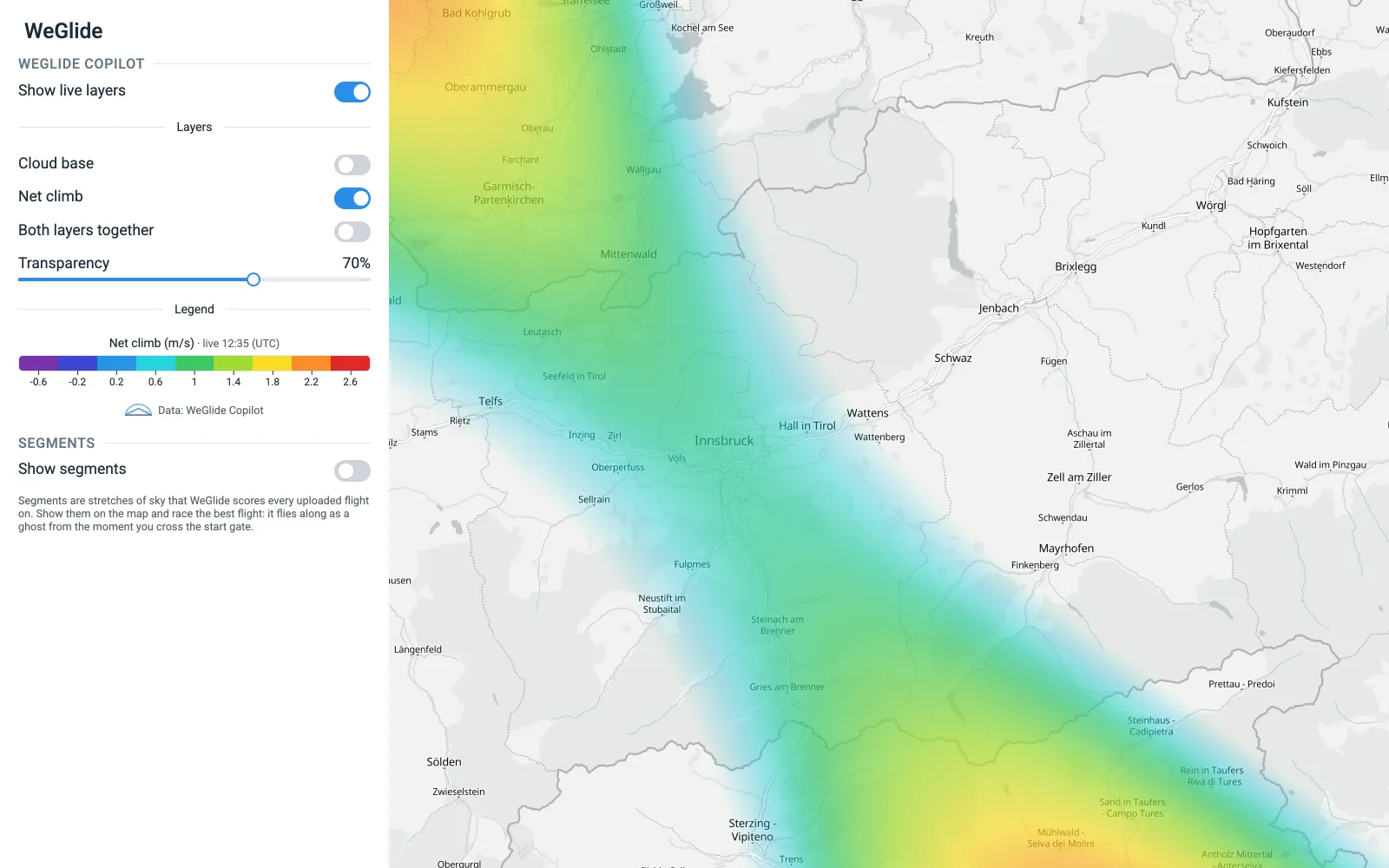
WeGlide builds two live maps from the gliders in the air right now: how high the thermals go, and how strong they are. Navia draws them over your moving map, so you can head for the climbs other pilots are already finding.
- Cloud base and net climb rate, live from the gliders in the air
- Refreshed every few minutes, drawn under your airspace and task
- The legend in your own units — metres or feet, m/s or knots
- Kept on the instrument when the connection drops
Copilot needs a WeGlide Copilot subscription. It shows what other gliders are finding — it is not a navigational aid.
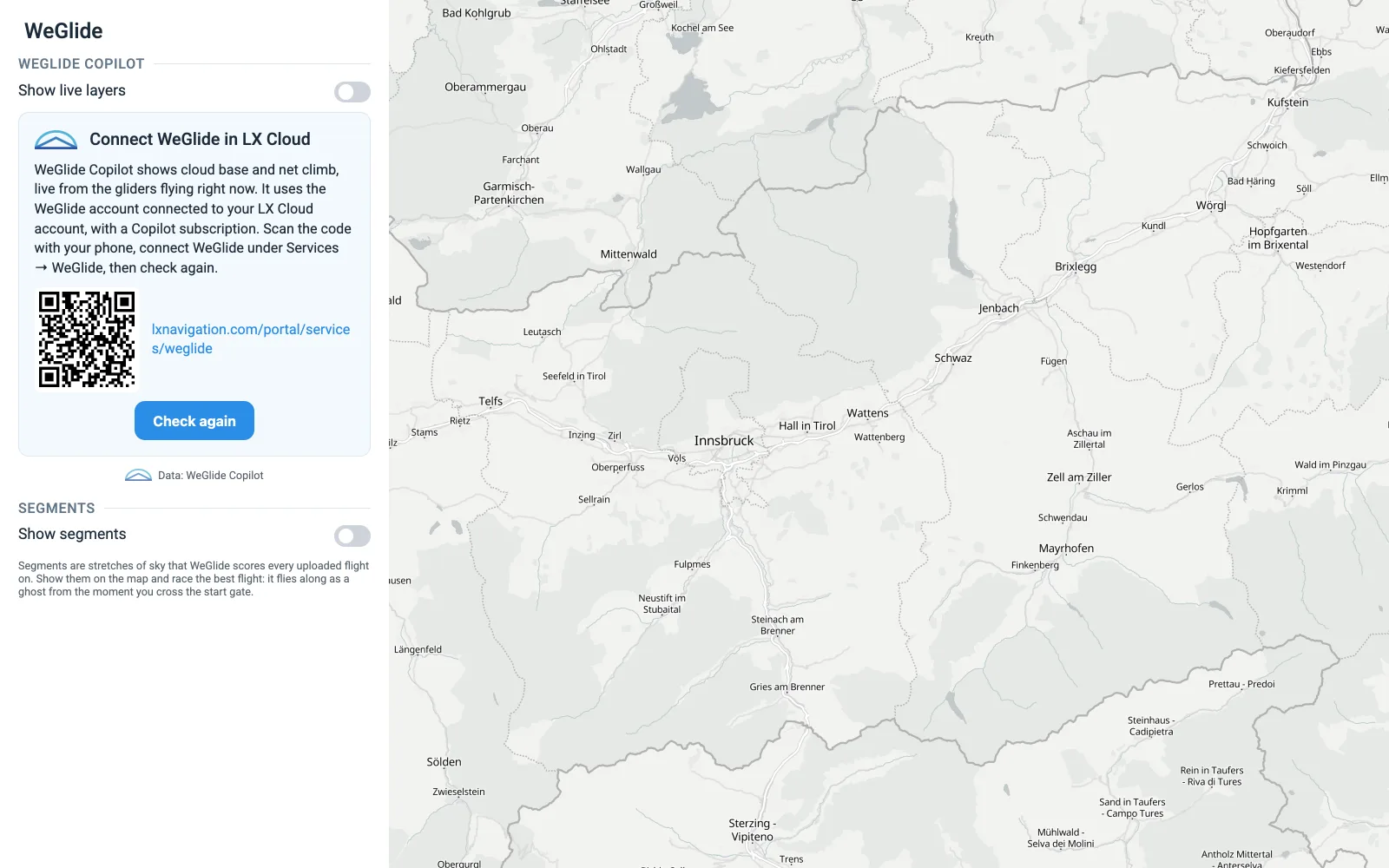
Connect WeGlide once, in LX Cloud.
There is nothing to type on the panel. Connect your WeGlide account to your LX Cloud account once — Navia shows a QR code that opens the page on your phone. From then on every Navia in your account has Copilot and your segment bests, and your flights go to WeGlide.
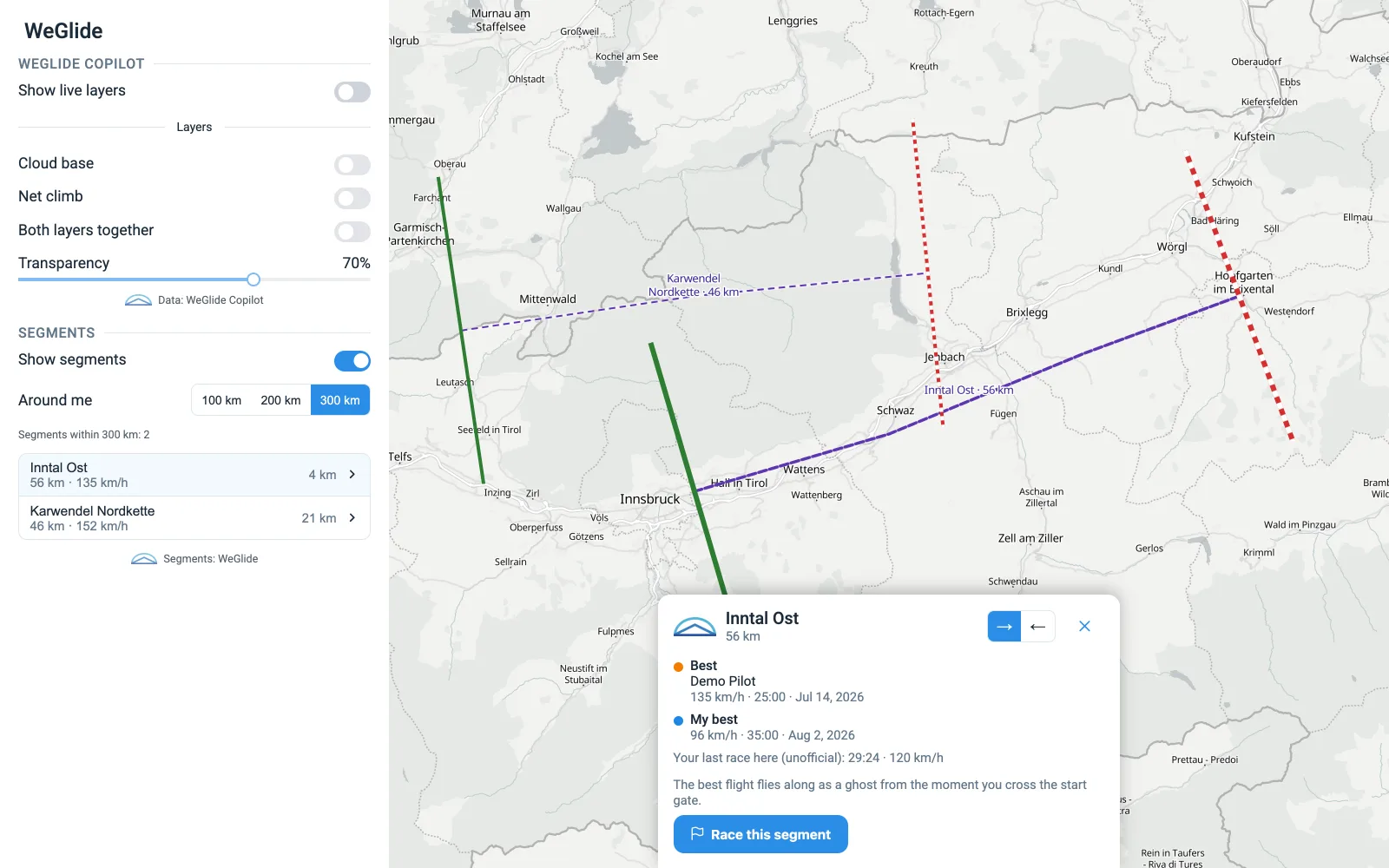
Race the best flight on every segment.
WeGlide segments are popular stretches of sky, each with its own leaderboard. Navia shows the segments around you with the best speed and your own best. Arm one and fly through its start gate — the best flight takes off beside you as a ghost glider, in real time.
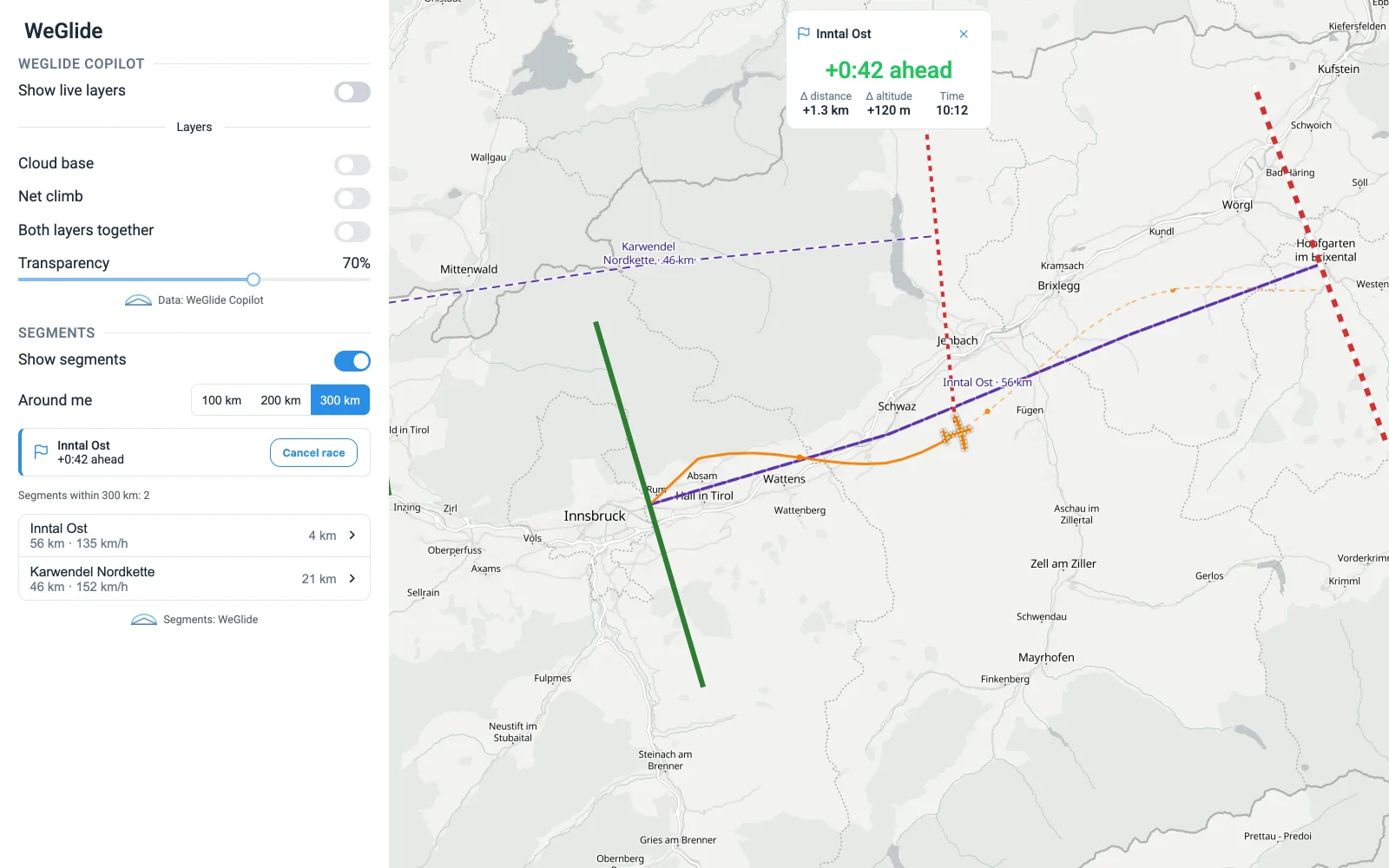
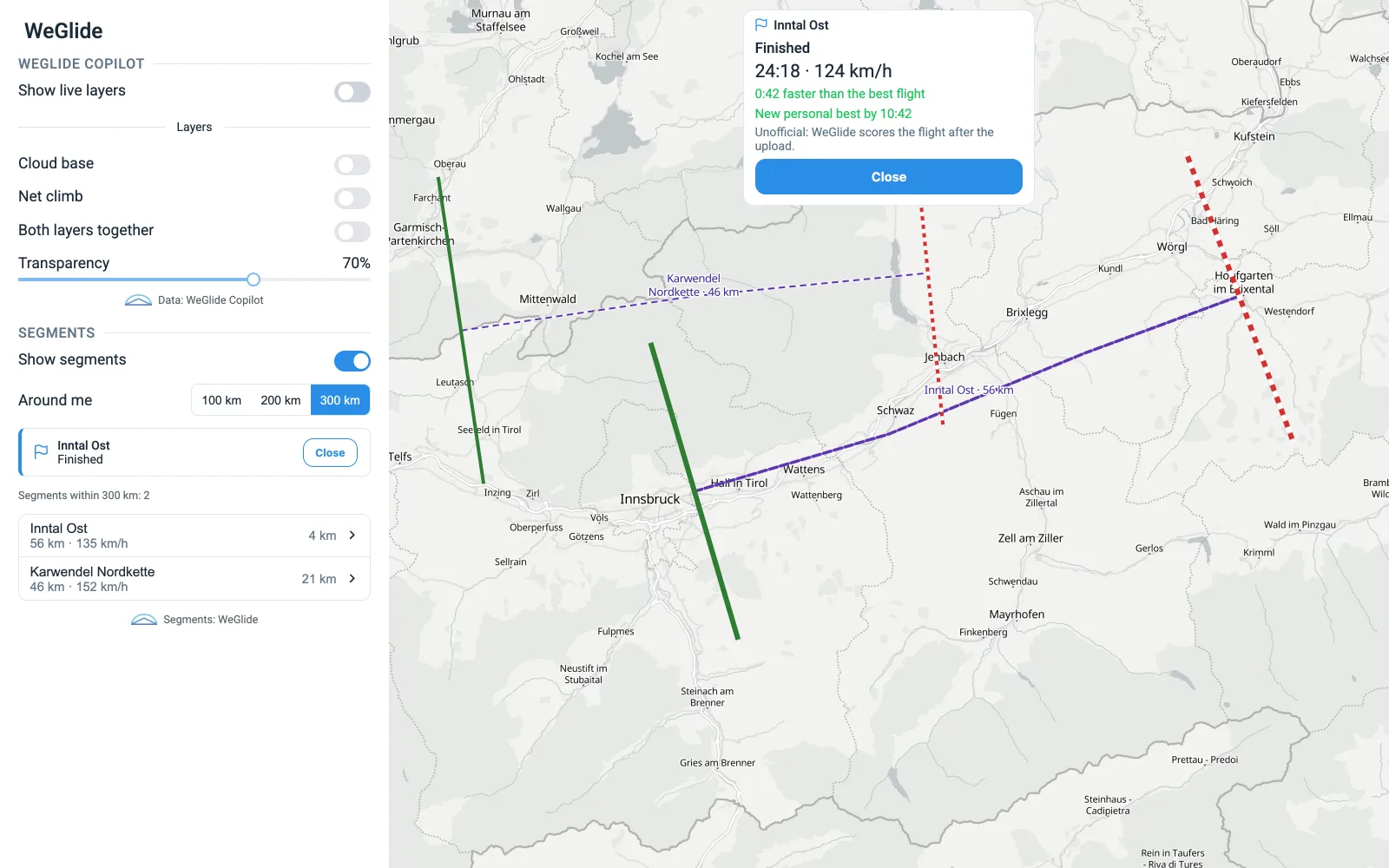
- Ahead or behind, in seconds — and by how much, in distance and height
- The best flight’s track behind the ghost, and where it goes next
- Your time and speed at the finish line
Segments come free with your LX Cloud account; connect WeGlide to see your own best. Your result on the instrument is unofficial — WeGlide scores the flight after upload. Screens: Navia OS, demo data.
Land. It is already on WeGlide.
Navia syncs every flight to LX Cloud, and LX Cloud uploads it to your WeGlide account — no cable, no card, no export. Your logbook, your scoring and your segment times stay in step.
- A Navia system with an internet connection — the built-in SIM or Wi-Fi
- An LX Cloud account
- A WeGlide account, connected once in LX Cloud
- For the live layers: a WeGlide Copilot subscription
WeGlide and the WeGlide logo are trademarks of WeGlide, used with permission.

Build your Navia system.
Pick your displays, sensors and licenses in the configurator — or talk to a dealer near you.