


Meet your new friend.
The only system you will ever need — from the panel to the cloud.
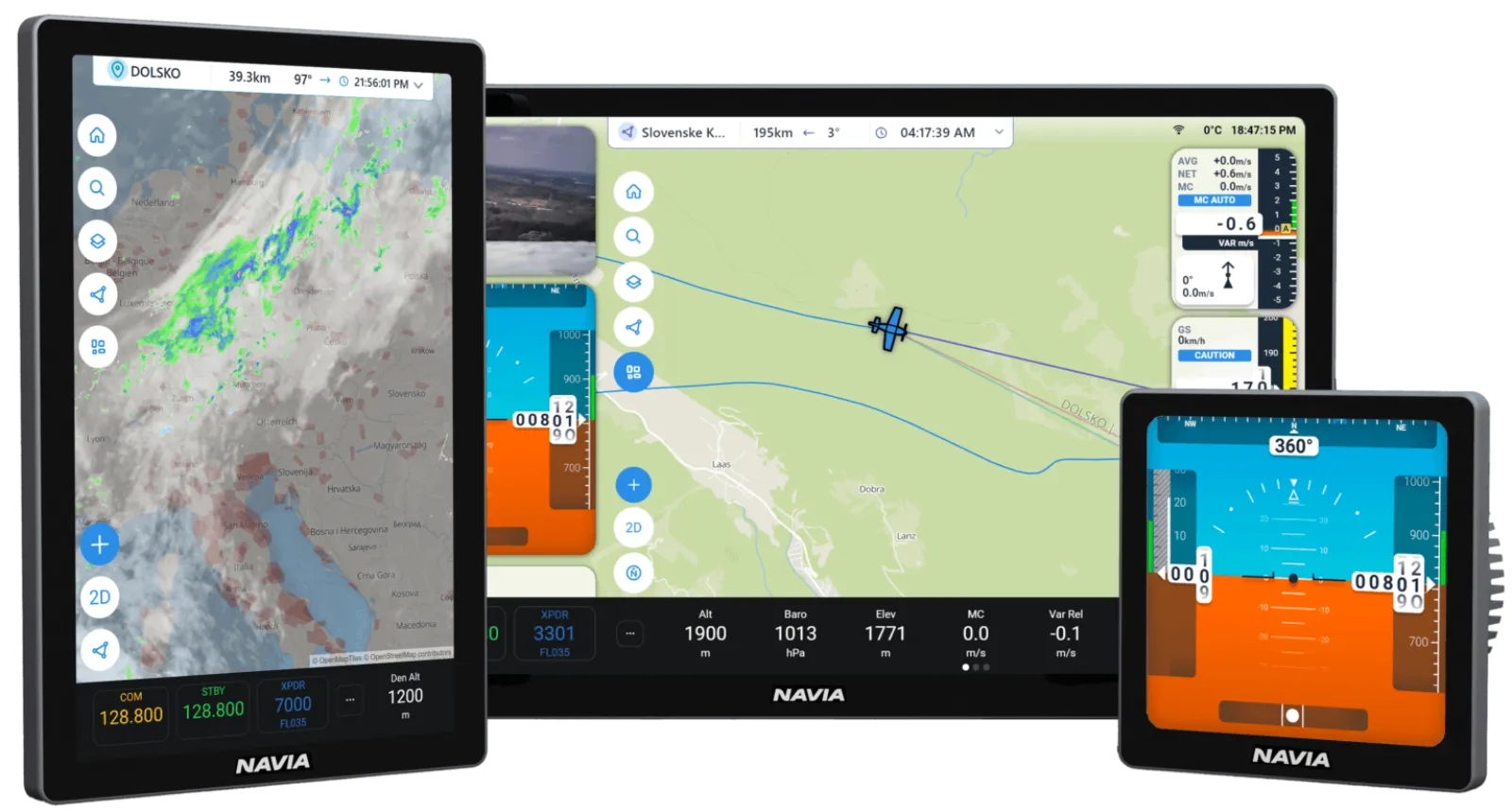
Innovation all over the place.
AI voice assistant tunes radios, sets altitudes and answers questions — hands on the controls.
An immersive 3D soundscape — traffic and alerts come from where they actually are.
1 Gbps of data and 100 W of power on the same wire. Wiring a panel has never been this clean.
Built-in global SIM. Weather, traffic and cloud sync — wherever you fly.
Flights, logbook, settings and updates in LX Cloud. Your aviation command center.
Open-source hardware and documented communication protocols. Build with us.
 WEGLIDE
WeGlide, built in.
Live Copilot lift on your map, WeGlide segments to race against the best flight, and your flight on WeGlide when you land.
See WeGlide on Navia →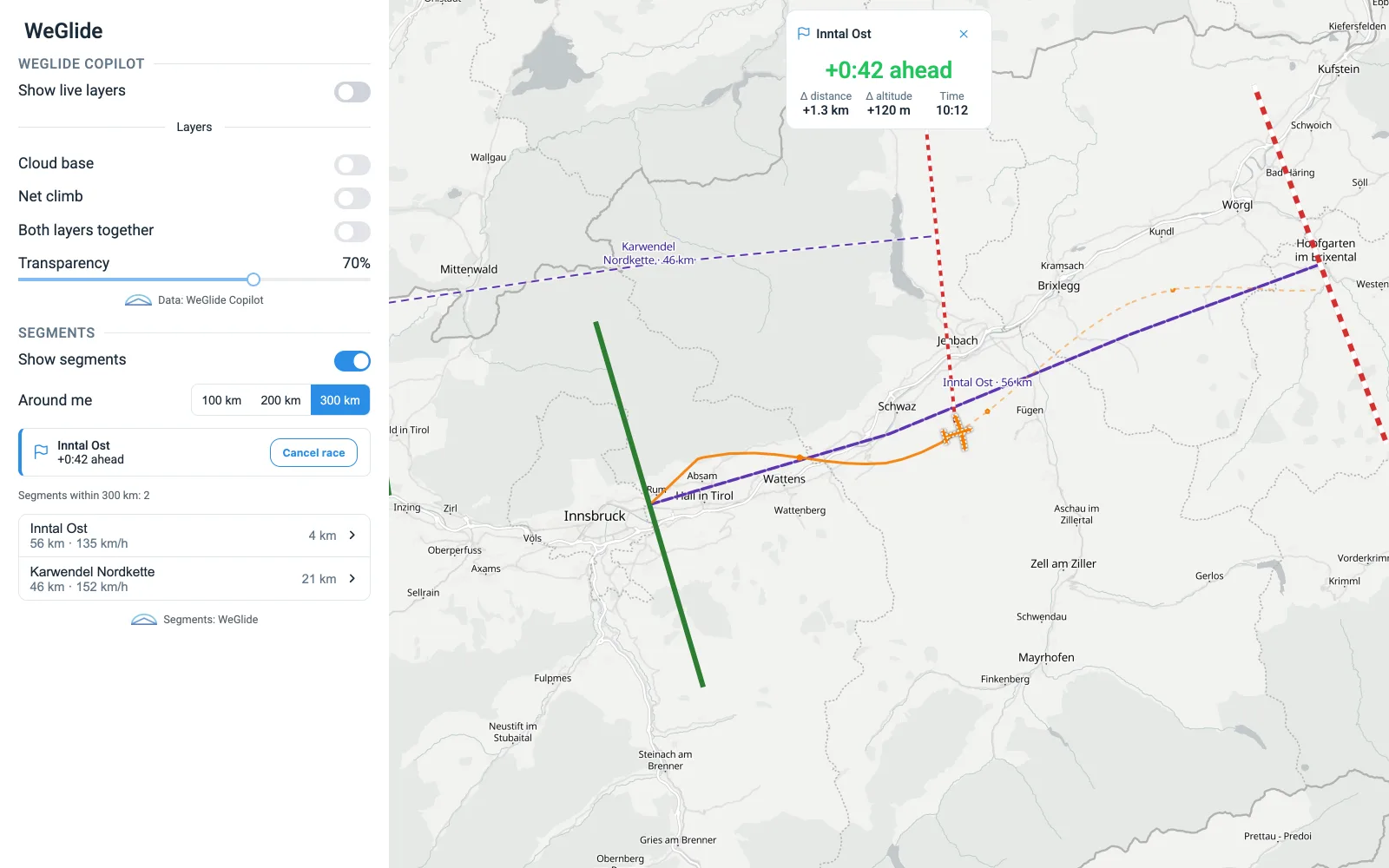
Command the air with your voice.
Frequencies, altitudes, navigation — spoken, confirmed, done. Eyes out, hands on the stick.
Bigger. Brighter. Sharper.
Navia Display 12, 7 and 4. Choose your view — every one readable in direct sunlight.
One system. Every role.
Every Navia device speaks the same language over a single PoE backbone. Add what your cockpit needs.

The brain — navigation, logging and Navia OS for the whole system.

AD-AHRS sensing: attitude, airspeed, altitude. Glider and airplane variants, TE and AOA.

The PoE backbone — one switch connects and powers every device.

Uninterruptible power. Keeps the panel alive if the ship battery fails.

Engine monitoring — temperatures, pressures, fuel, all on one bus.

A new way of HMI. Hold it, feel it, fly it — your main connection with the airplane.
How the system fits together.
Navia is a network, not a box. The Core Pro is the computer; every other unit has one job and joins it with one cable.
- Gigabit Ethernet and power in one cable (PoE)
- Serial data, powered from the Core Pro
- Backup power
- Grip link to a display
The Core Pro has one PoE port. A single display plugs straight into it; the Hub comes in with the second PoE unit.
The Core Pro supplies up to 100 W to everything on the PoE side — through one Hub or several chained together.
Radio, transponder, FLARM receiver or a VP-X: wire it to a free RS232 port of the Core Pro and choose the protocol on the display.
Navia PoE ports and the CAN ports of Era, LX 10K and iris take the same plug. They must never be patched together.
Three panels, to start from.
No Hub: one display on the Core Pro’s own port.
Build it in the configurator →The Hub feeds the second display in the rear cockpit.
Build it in the configurator →Engine data on the PoE side, backup power on the Core Pro.
Build it in the configurator →Wiring rules, power and planning in detail: NAVIA system architecture →Which LX devices work together →
Intuitive. Elegant. Powerful.
Touch-first and built for clarity — unprecedented situational awareness with less workload. Open-source hardware and documented protocols underneath.
What is included, and what Premium adds.
Navia flies without a subscription. LX Cloud Premium adds the online services — connect each one once in your LX account and every Navia on it has them.
- Navia OS with every flight function on the instrument
- The basic airport and waypoint database
- Flight mail and flight upload
- Rain radar, satellite and live weather
- SoaringSpot competition tasks and contest airspace
- SkySight forecast layers and tasks
- TopMeteo and XC Therm, with your own account there
- WeGlide Copilot, segments and upload, with your own WeGlide account
- SeeYou Cloud and SeeYou waypoints with pictures
Fly Navia before it reaches your panel.
The glider build of Navia OS runs in your browser — on a laptop at home or on a tablet at the airfield. Plan a task, move the widgets where you want them, set up your pilot profiles. Sign in with your LX Cloud account and none of it is throwaway: Navia carries a built-in worldwide eSIM, so everything you prepared on the ground is waiting for you in the cockpit the next time the instrument connects.
Free, in any browser. Sign in with your LX Cloud account rather than continuing as a guest — that is what keeps your tasks, layouts and profiles.
Talk it through before you decide.
A free online video call with LX navigation or one of our dealers — in your language, about your panel, your aircraft, your questions.
Online · free · no obligation

Build your Navia system.
Pick your displays, sensors and licenses in the configurator — or talk to a dealer near you.