

Accessories
With NAVIA we were thinking about everything — including installation. Standardised rack mounting, single-cable power and connectors that need no soldering.
Documentation →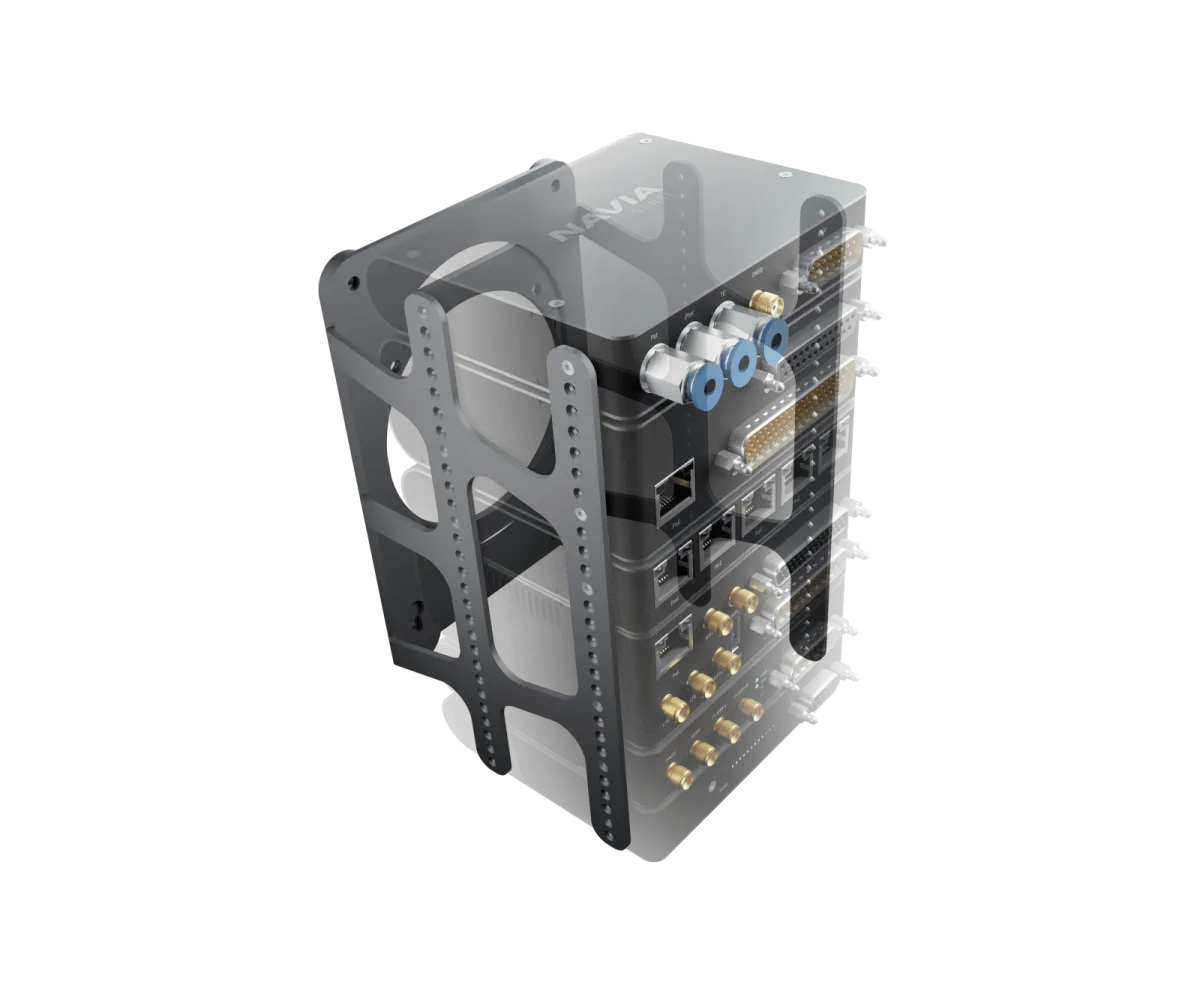
All Navia devices adhere to a standardised 4-inch width, so Core, Sense, Traffic and the rest slide straight into the racking solution — a modular design with maximum flexibility, built for quick installation and easy servicing.
Mounting solutions
Everything you need to mount, connect and extend your NAVIA system.
Simplifying cockpit wiring
Connect Core, displays and peripherals with standard CAT 6 Ethernet — data and power through a single cable, no clutter.
Robust D-SUB connectors for external devices and sensors — reliable in demanding conditions, quick to disconnect when needed.
Every supplied connector uses crimp contacts. Say goodbye to complex harnesses and cold solder joints.
High-quality Teflon-coated aviation wires — durable, standards-compliant, built for harsh environments.
What turns the units into an installation.
Rack, cables, connector sets and antennas are ordered with the system, in the lengths and types your airframe needs. None of them is packed with a unit.
See how the whole system fits together →Technical specification
- Rack units
- Core Pro · Hub · Sense · Traffic · EMU
- PoE cables
- 0.4, 1, 3 and 5 m
- Cable for your own runs
- Shielded Cat5e or Cat6, wired to T568B
- Connector sets
- Core Pro 44-pin and 25-pin · Sense 15-pin · Traffic 26-pin · Display 9-pin
- Antennas
- LTE · Wi-Fi / Bluetooth · GNSS · FLARM · ADS-B
- Harnesses
- Pre-crimped wires, ready-made harnesses or a loom built for your aircraft
Good to know before you install.
- 01Core Pro, Hub, Sense, Traffic and EMU stack in the rack. Each of them can also be mounted on a flat surface with two brackets.
- 02In the rack, Traffic sits directly on top of the Core Pro, and the cooling openings on the sides of the Core Pro stay uncovered.
- 03PoE cables are plugged and unplugged only with the system switched off.
- 04Secure Ethernet cables with lacing cord or hook-and-loop ties. A tight cable tie crushes the wire pairs and costs speed and power.
This is an overview, not the installation manual. The manual for your unit governs the installation — follow it, or have an LX dealer do the work.
Questions pilots ask.
Do I need the rack?
No. Every rack unit can also be mounted on a flat surface with two brackets. The rack keeps the units in one assembly that is quick to install and to remove.
Are cables and connectors included with the units?
No. PoE cables, connector sets and antennas are ordered separately, so you buy the lengths and types your aircraft needs.
Do I have to crimp the harness myself?
No. LX supplies pre-crimped wires and ready-made harnesses, and builds looms to order.
Can I use ordinary network cables?
Use shielded Cat5e or Cat6 cable wired to the T568B standard. LX supplies tested cables in 0.4, 1, 3 and 5 m.
Put it in a system.
Tell the configurator what you fly and how much panel you have. It puts the Navia system together, with prices.