

Grip
A new way of HMI — your main connection with the airplane. Heated. Leather. Vibration alerts. And the voice assistant one thumb away.
Documentation →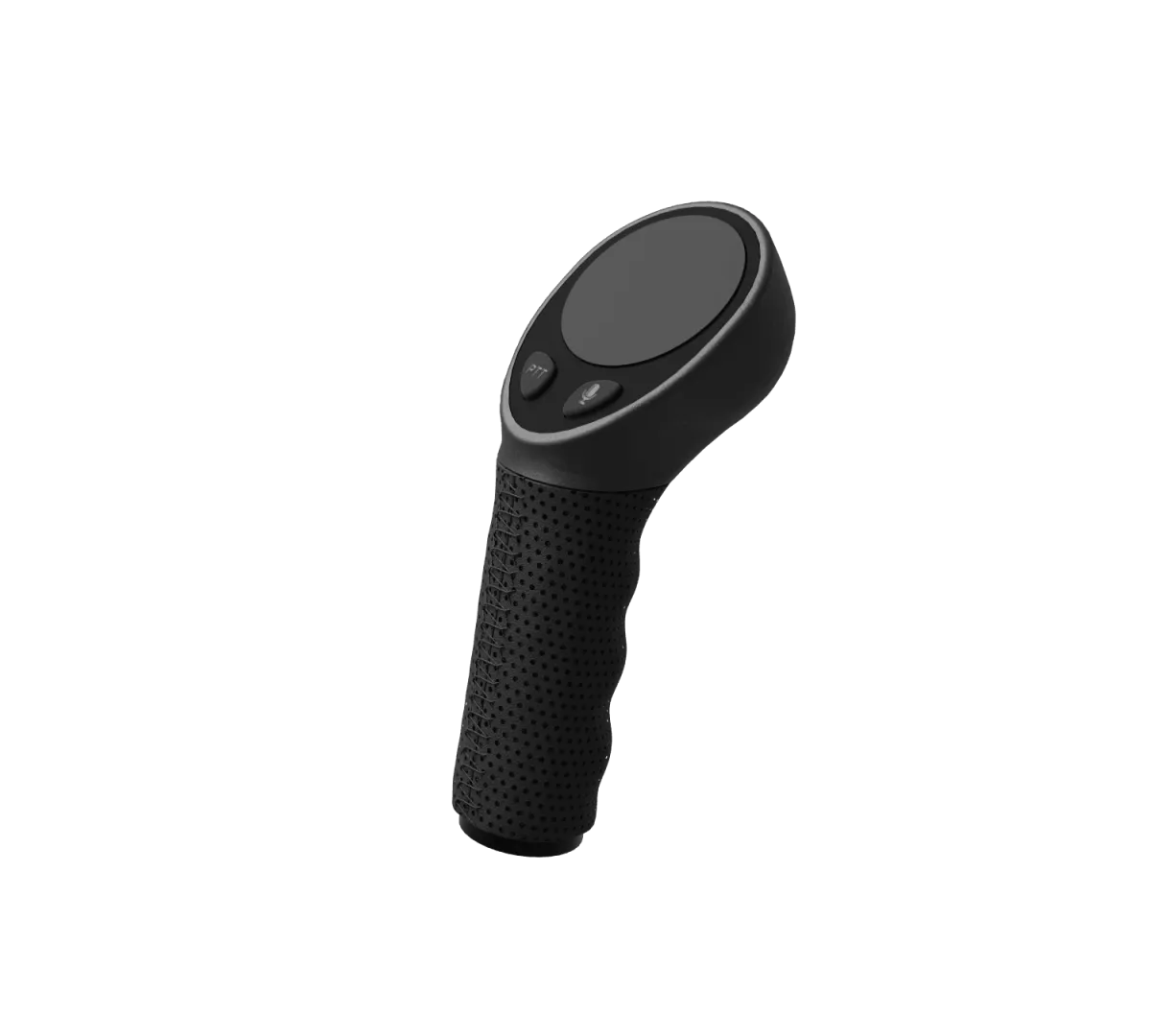
Control without letting go.
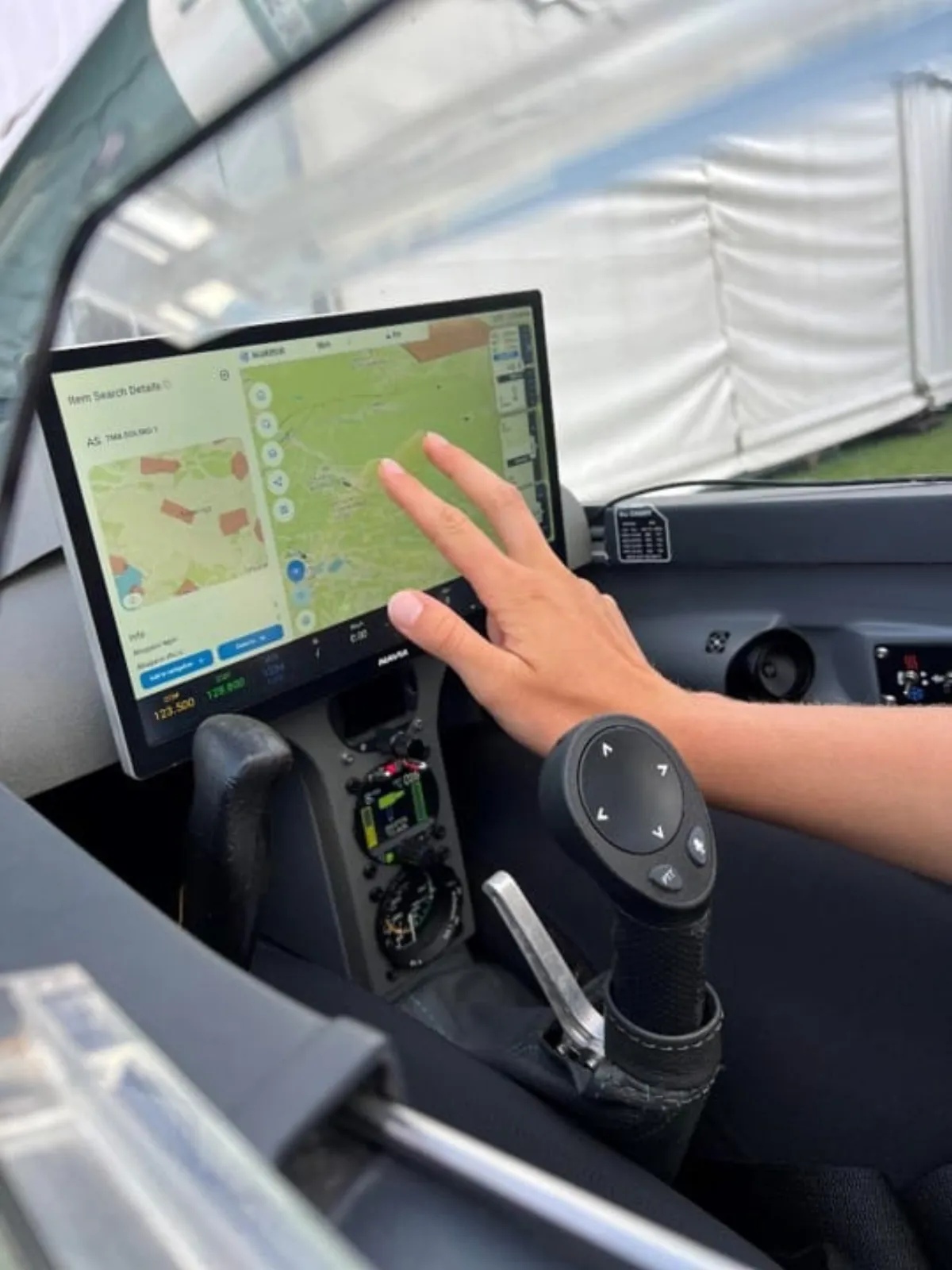
Navia Grip keeps your hand on the stick while you work the system. Every critical function is reachable by feel — even in turbulence, even in gloves.
What makes it amazing
Unparalleled comfort in cold weather and high-altitude flights. Warm hands make better decisions.
Intuitive haptic warnings for critical situations — feel an approaching stall before you see it.
A single button wakes the NAVIA voice assistant for fully hands-free control.
A dedicated connection with Navia Displays makes the pairing feel like one instrument.
The control that stays in your hand.
The Grip replaces the top of the stick. A trackpad, a scroll wheel and three buttons drive the display it is connected to, a vibration motor warns you by feel, and push-to-talk and the voice button sit under your thumb.
Technical specification
- Dimensions
- 143 × 54 × 63 mm
- Mass
- 141 g
- Supply voltage
- 12 V DC, from the display
- Power consumption
- 5 W on average
- Stick tube
- Up to 25.4 mm (1″), with inserts for 19.3, 20 and 24 mm
- Controls
- Clickable trackpad, scroll wheel, PTT, voice and multifunction buttons
- Finish
- Perforated leather, heated
Navia is not TSO or ETSO approved. It is intended for VFR flight in gliders, motorgliders, ultralights, light-sport and experimental aircraft.
In the box
- Navia Grip, standard or with starter button
- Pre-wired 9-pin adapter for the display
- Sizing inserts for 19.3, 20 and 24 mm sticks
- 3 M2.5 fastening screws and 5 wire ferrules
- Device registration card
You will also need
- A Navia display to connect it to
Good to know before you install.
- 01Pick the insert for your stick: 19.3 mm for DG, LAK and Schempp-Hirth, 20 mm for LS, Stemme, Apis and EB29, 24 mm for Schleicher, Pipistrel Taurus, Alisport Silent, EB28 and JS3. A 25.4 mm stick such as that of the JS1 needs none.
- 02Five wires leave the Grip and run through or along the stick to the adapter. The cable may be shortened or extended.
- 03Check full, free stick travel in every direction after fitting: neither the Grip nor its cable may restrict the controls.
- 04The Grip fits either hand. In a two-seater each seat can have one; which seat a Grip belongs to is set in the software.
- 05Never connect or disconnect the 9-pin port of the display while the system is powered.
This is an overview, not the installation manual. The manual for your unit governs the installation — follow it, or have an LX dealer do the work.
Questions pilots ask.
Will the Grip fit my stick?
It fits stick tubes up to 25.4 mm (1″). Inserts for 19.3, 20 and 24 mm are in the box and cover the common glider sticks.
Is there a left-hand version?
None is needed: the Grip is symmetrical and works in either hand.
What does the Grip connect to?
To the 9-pin port on the back of a Navia display, through the adapter supplied with it. It is powered from there.
Can the Grip key my radio?
Yes. Push-to-talk can go through the Core Pro, or by a wire straight to the PTT input of the radio.
Is there a Grip with an engine start button?
Yes — a version with a starter button for self-launching Schempp-Hirth gliders.
How is the heating switched on?
From the dashboard on the Navia display.
Put it in a system.
Tell the configurator what you fly and how much panel you have. It puts the Navia system together, with prices.