
PowerFLARM Eagle ADS-B
The Eagle with FLARM's own ADS-B In module fitted — glider traffic and transponder traffic merged into one warning picture.
- FLARM and ADS-B In in one traffic picture, not two lists
- FLARM's own ADS-B modules — ADS-B targets run through the same collision logic
- Two standard RJ45 FLARM ports — drives any FLARM display
- The smallest standalone PowerFLARM on the market — 68 × 50 × 23 mm, 76 g
- PowerFLARM Eagle ADS-B unit
- FLARM antenna
- GPS antenna
- ADS-B antenna
- RJ45 power adapter
You may also like.

Details.
Every FLARM calculates where its own aircraft will be over the next few seconds, broadcasts that predicted path twice a second, and listens for everyone else's. When two predictions cross, both cockpits are warned — direction and relative height of the other aircraft, early enough to act on.
That covers the gliders. It does not cover the tow plane returning on a straight line, the airliner descending through your class E, or the twin transiting on autopilot. Those aircraft carry a Mode-S transponder, not FLARM.
The same box, with ADS-B In
This is the same 68 × 50 × 23 mm, 76 g aluminium unit as the FLARM-only Eagle, with FLARM's own ADS-B In module fitted behind the fourth antenna connector on the back. We use FLARM's modules rather than a third-party receiver, which is the whole point: ADS-B targets arrive inside the same collision logic and reach the display as one traffic picture rather than as two lists the pilot has to merge.
What ADS-B adds, and what it does not
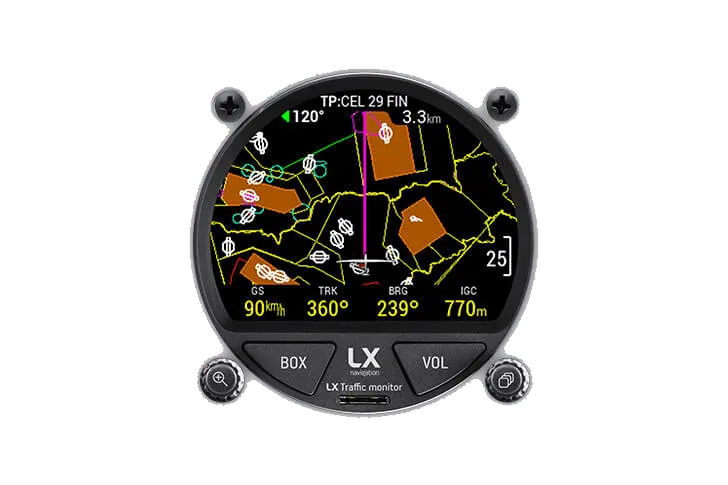
ADS-B In receives what transponder-equipped aircraft broadcast about themselves. Where a target reports its position, you get its position. Where it does not — a Mode-S transponder with no position broadcast — it is reported as non-directional traffic: a range ring at the distance the object could be at, in any direction. That is a real warning, not a bearing, and every display draws it as a ring for exactly that reason.
It drives any FLARM display
Two RJ45 ports use the standard FLARM pinout and protocol, so the Eagle works with any FLARM-compatible display, ours or anyone else's. FLARM 1 is two-way and also configures the FLARM module; FLARM 2 is output only. Audio warnings leave a 3.5 mm jack that will drive an intercom, an audio panel or a powered speaker of up to 5 W. With nothing in the panel, the unit streams traffic over WiFi to a phone or tablet.
Configured from your phone
On power-up the Eagle raises its own WiFi access point, named after its serial number, with the key printed on the housing. The portal holds status, FLARM settings, file transfer, the logbook and a range analyser that plots the range each antenna actually achieved across twenty 18° sectors, from real receptions in flight. Firmware, the obstacle database and licences load through the same page. ADS-B settings only exist in the portal when an ADS-B module is present — on this model they are there out of the box.
It grows with licences
The FLARM module takes licences you can buy at any time and upload through the portal: the IGC flight recorder, ENL for motorgliders, antenna diversity and Garmin TIS.
Before you install it
Range is decided by the antennas, not by the box. Mount the GPS antenna horizontally and never under carbon; the ADS-B aerial is a fourth antenna with its own connector and its own placement to find. There is no fuse inside the unit, so an external 3 A circuit breaker is mandatory. The knowledge-base article "PowerFLARM Eagle: installation, antennas and range" covers the rest.
Questions pilots ask.
What does ADS-B In add over plain FLARM?
Traffic that carries a Mode-S transponder rather than a FLARM: airliners, tow aircraft and most powered traffic. FLARM alone will not show you any of it.
Why is some ADS-B traffic drawn as a ring instead of an aircraft?
Because that target is not broadcasting its position. A Mode-S transponder without position data can only be located by distance, so it is reported as non-directional traffic and displays draw the range it could be at.
Do I need a separate display?
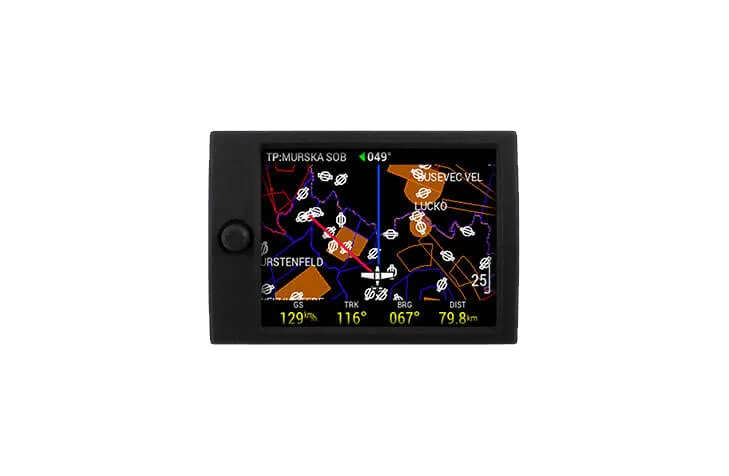
The Eagle streams traffic over WiFi to your phone or tablet, but a screen you have to go looking for is not a warning device. For the panel, Traffic Monitor, Traffic Square and the FLARM LED Display Pro all show radar view and warnings from any FLARM.