
Traffic monitor 57
A dedicated 57 mm FLARM display: radar page, voice warnings and standalone turnpoint and airport navigation, on the LX 10K platform.
- Built on the LX 10K platform — the most capable FLARM display we make
- Spoken and drawn collision warnings, plus a track-up radar page
- Turnpoint and airport navigation at the same time, over airspace
- Fits the 57 mm cutout most panels already have; wired in about fifteen minutes
- Traffic monitor 57
- 32 GB Micro SD card
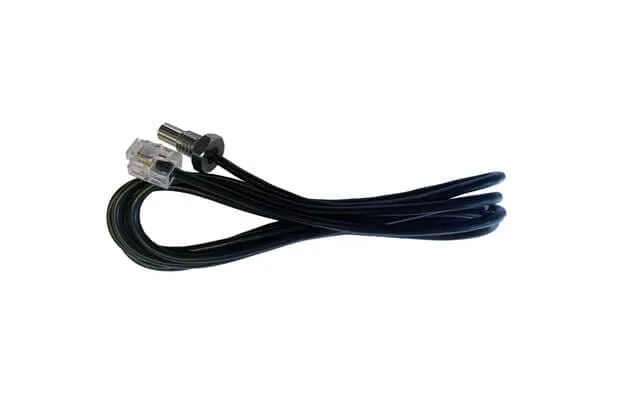
- 40 cm connecting cable
You may also like.

Details.
A FLARM with no display in the panel is a device that knows something you do not. The Traffic monitor is what tells you. It works with every FLARM device on the market, takes its data over a standard cable from the FLARM port, and fits a 57 mm instrument cutout — the round hole most panels already have.
Inside it is the LX 10K platform, which is why a traffic display has a moving map and a voice at all.
Warnings first
The primary job is the warning: a collision alert, spoken and drawn, with the direction and the relative height of the other aircraft. Everything else on the instrument is secondary and can be ignored on a busy day.
The radar page shows every FLARM object, track-up. Aircraft whose pilots have enabled FLARM privacy mode appear as a plain dot rather than a full symbol — their warnings still arrive regardless. If your FLARM has an ADS-B module, non-directional transponder traffic is drawn as a red range ring: the perimeter the object could be on, rather than a bearing it is not broadcasting. Select any object and you get its climb rate, horizontal and vertical distance and ground speed.
And navigation, because the platform was already there
Two moving-map pages navigate to a turnpoint from a .cup file and to an airport from an .af file at the same time, over a map carrying turnpoints, airports and airspace. Choose an airport and the voice module reads out its runway direction and frequency. An info page shows GPS status, supply voltage and the FLARM device ID you need to register with OGN; the logbook becomes a live statistics page in flight, with take-off time, duration, maximum altitude and airspeed, and an altitude graph.
57 mm or 80 mm
This is the 57 mm instrument, with a 2.5 inch transflective display. The 80 mm version is the same software and the same controls behind a 3.5 inch screen. Transflective means the display gets more readable in direct sunlight rather than less, which is the only thing that matters under a canopy.
Controls and wiring
Two push-rotary knobs and two buttons, every one of them marked: PAGES to move between pages and confirm, ZOOM to zoom and to cancel, VOL for volume and brightness, BOX to hide the NavBox line. Turning a knob while pressing it steps through a long list far faster.
Every port on the back is marked too: FLARM in, FLARM out, and a 3.5 mm audio out. There is no amplifier inside, so the audio output wants an intercom, an audio panel or a powered speaker rather than a bare passive one. Installation and wiring take about fifteen minutes. In the box: the monitor, a 32 GB micro SD card and a 40 cm connecting cable.
Questions pilots ask.
Which Traffic monitor should I buy, 57 or 80 mm?
Whichever hole the panel has free. The software and the controls are identical; the 80 mm carries a 3.5 inch screen against this one's 2.5 inch, and both are transflective.
Will it work with a FLARM that is not yours?
Yes. It takes the standard FLARM protocol from the FLARM port of any FLARM or PowerFLARM device.
Can I drive a speaker straight from it?
Not a bare passive one — there is no amplifier inside. The 3.5 mm output wants an intercom, an audio panel or a powered speaker.